 Osmo Notes
notes on your footage, for your edit agent
Watch every clip, mark the good parts, say what they are. Osmo Notes writes it down as a file an AI edit agent (or your editor) can cut from.
Download for Mac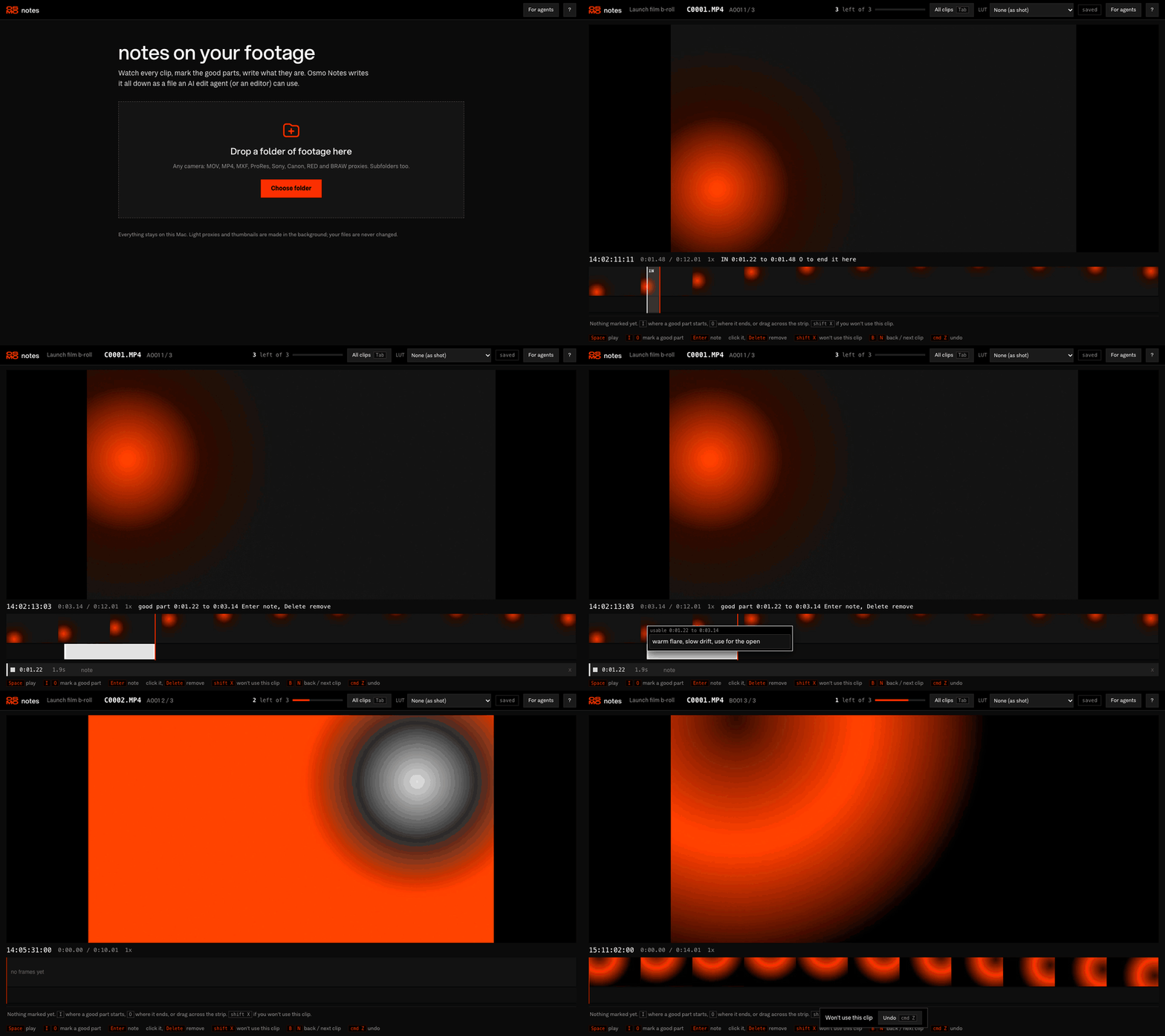
how it works
No setup. No account. Your files are never changed.
Drop a folder
Any camera: MOV, MP4, MXF, ProRes, Sony and Canon cards, RED and BRAW through their proxies. Subfolders too. The first clip plays right away while light proxies are made in the background.
Mark the good parts
One clip, big. I and O around what you want, Enter to say what it is. Pick a camera LUT per folder if you shot log.
Hand it to an agent
footage-notes.json is kept up to date next to your footage, with source timecode on every range. Plus an FCPXML and EDL for Resolve and Final Cut.
the keys
That's all of it. Press ? in the app for the rest.
Play and pause
Mark a good part, in and out. Or drag on the strip while the picture scrubs.
Write a note on it
Select a highlight, remove it
Won't use this clip
Back, next clip
Undo anything
Every clip and what's left
for agents
Paste this to Claude or any agent that can read files. It finds the clips, the ranges and your notes.
I marked up my footage with Osmo Notes. Read footage-notes.json in my footage folder: it lists every clip (path relative to footage_root, source timecode, fps, duration) and the parts I picked. Each range has in and out in seconds from the start of the file, tc_in and tc_out in source timecode, a label (usable, hero = one of the best, not_usable) and my note saying what it is. Build the edit only from usable and hero ranges, prefer hero and the ones whose notes fit what the cut needs, and stay inside my in and out points. Never use not_usable ranges or clips with status wont_use. Clips with status reviewed were watched end to end, so their unmarked parts are not wanted; unreviewed clips have not been looked at yet. Treat my notes as direction and cite clips by path and timecode.
footage-notes.jsonfor agentsfootage-notes.mda short summary to read or pastefootage-notes.fcpxmlthe good parts as a timelinefootage-notes.edlthe same, notes as markers
{
  "format": "osmo-footage-notes/1",
  "footage_root": "/Volumes/CARD/Footage",
  "clips": [
    {
      "path": "A001/C0004.MP4",
      "timecode_start": "10:43:55:00",
      "fps": 23.976,
      "duration": 30.53,
      "status": "reviewed",
      "ranges": [
        {
          "in": 3.0, "out": 6.5,
          "tc_in": "10:43:58:00",
          "tc_out": "10:44:01:12",
          "label": "usable",
          "note": "slow push on the racks"
        }
      ]
    }
  ]
}
Times are seconds from the first frame; timecode is non drop frame. Status: unreviewed, in_progress, reviewed, wont_use. Full schema: footage-notes.schema.json